
Simple and Cool Use for the nuPickers Umbraco Package for v7

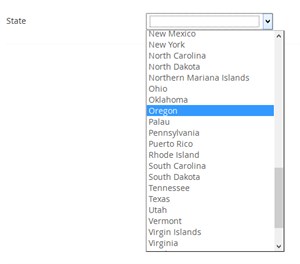 I just wanted to share a great experience I just had with nuPickers, and Umbraco v7 package, and how easy it was to make a simple U.S. State picker with no custom code and no pre-value heartache.
In 5 mins (less?) I had my U.S. picker drop down. Here's how:
1. Download the nuPickers package and install it: https://our.umbraco.org/projects/backoffice-extensions/nupickers
2. Google "json list of states" and find a list of US states in JSON form. I found this gist: US states in JSON form
3. Create a states.json file in a json folder in the Umbraco site (on disk).
4. Create a new DataType that is of type nuPickers.JsonDropDownPicker
5. Configure the pre-value fields to be:
Url: ~/json/states.json
JSONPath: $..*
Key JSONPath: abbreviation
Label JSONPath: name
Save Format: CSV (your choice)
6. Add the DataType to my doc type.
Done.
It's easy and for things that rarely change (like U.S. States), it was quick, easy, and still easily editable in my Git Repo.
