

The ProWorks Umbraco Media Audit package
One of the things I've been asked for by clients more often than I'd expect in the last few months is to help them audit all their media so that they can clean out everything they're not using.
The good news is that with access to a database and Claude, writing a little reusable python script to scrape everything was exceptionally easy. But by the third request I'd decided maybe that rather than doing this for my clients I could give them the autonomy and flexibility to do this by themselves on demand. After all, it's a waste of their time and budget to need a developer to audit their media whenever they're wanting to clean it up. The benefit of this package is it gives your content editors the autonomy to audit and clean up their own media on their own schedule whenever they want!
So with this, I present to you the new ProWorks Umbraco Media Audit package that I've released for Umbraco 17 and 18! This tidy little package adds a dashboard into your media section where you can run an audit on all of your media, discover what's in use and what isn't all in one location without having to click through item after item.
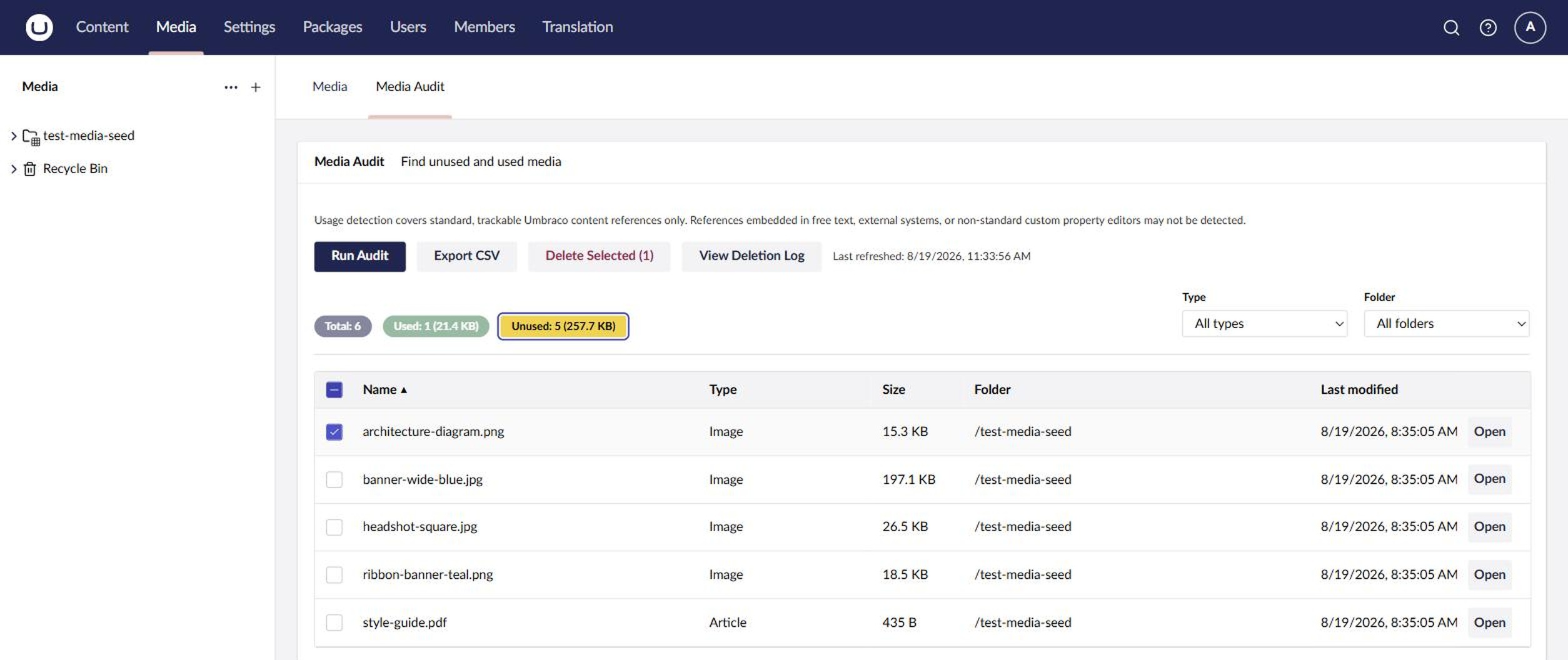
There's some caveats of course - the audit is based on Umbraco's own reference tracking, so the main list only knows about media that's referenced with a picker. If a client pasted a URL manually somewhere, it can still show up as unused. The good news is that before anything is actually deleted, the Media Audit does a second scan through all your content for the item's ID, file path, or file name, and skips anything it finds. If you're linking to an item in an e-mail marketing campaign though, there's still no way for the Media Audit to tell. So it's important that human eyes look at these items when determining if they're still relevant, and getting detail on an item by item basis is very easy to do.
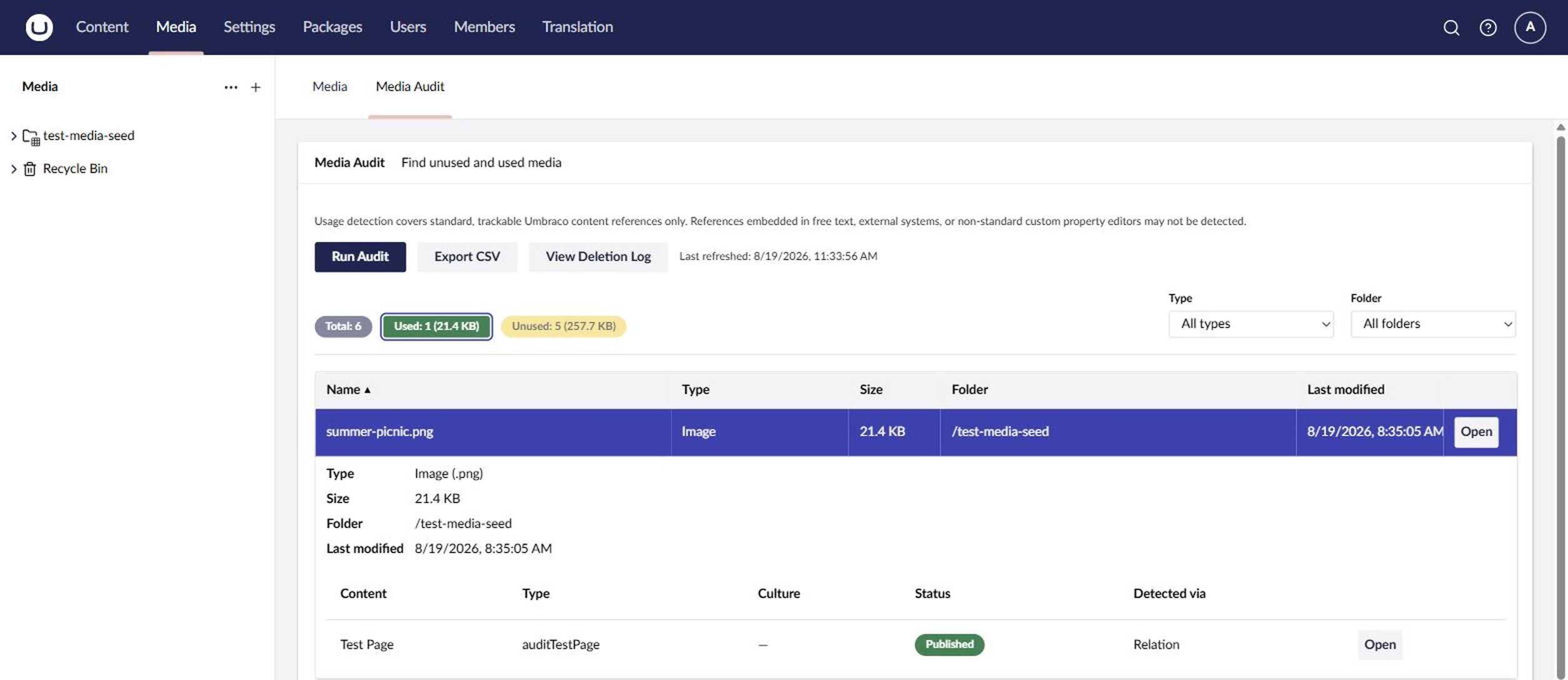
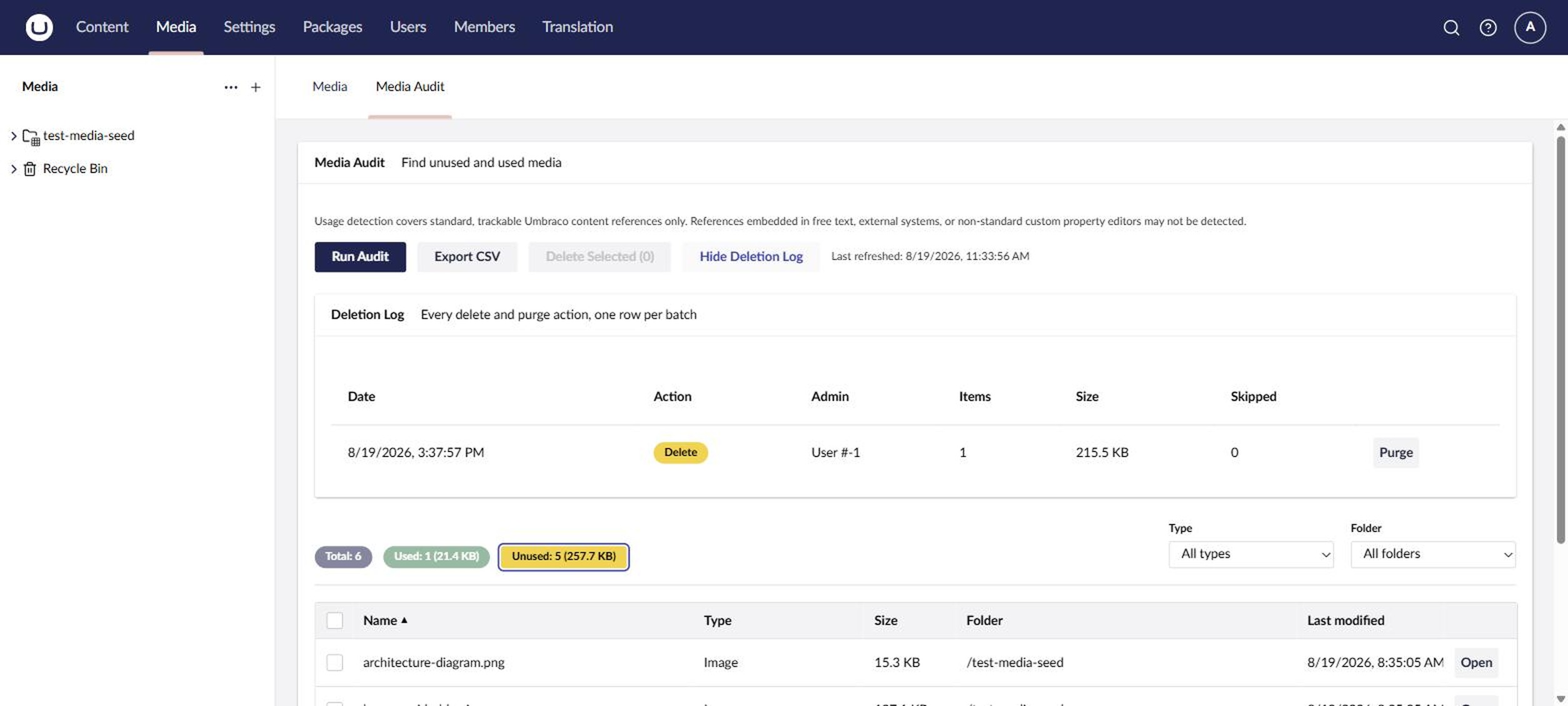
And once an admin-only user has determined none of the media is in use, they can mark them all for deletion and move them into the recycle bin. If they're really content all is well then there's even a purge button to clear the recycle bin and remove the items from disk! Every delete and purge is also recorded in a deletion log, so you can always see who removed what, when, and how much space it freed up.
Sometimes files end up in your media folder without a matching media item in Umbraco - think old migrations or files copied straight onto the server. The new Scan Disk Media button finds those orphaned files, lists their size and last modified date, and lets an admin export or delete them. Each file gets re-checked right before it's deleted, just to be safe!
To get started, install it with dotnet add package ProWorks.Umbraco.MediaAudit. Version 1.x is for Umbraco 17 and version 18.x is for Umbraco 18.
We have a few features that we want to add in the future:
- Field auditing - do you have your alt text or captions filled out? We'd like to make this "plug and play" so you can add any fields that you want and the tool will check if they're empty.
- Integrating the above with Umbraco AI - if a field is empty, fill it in with Umbraco AI's integrations to read media files and write alt text.
- Display a thumbnail of the item in the dashboard (if it's an image) to help with visual recognition
- Check if images don't have crops selected or set
- Show media that's hard-linked in rich text as "in use" in the main audit list, not just at delete time - thanks to JLD for the suggestion!
Are there any features that you'd love to see? Let us know!
Version history
- October 15, 2026 (18.1.0 / 1.1.0): Added Scan Disk Media and fixed audits getting stuck on "Running" under IIS.
- September 9, 2026 (18.0.2 / 1.0.3): Fixed deletion log entries being truncated on SQL Server.
- September 8, 2026 (18.0.1 / 1.0.2): Fixed a startup failure on SQL Server.
- September 2, 2026 (18.0.0): Released the Umbraco v18 version!
- August 28, 2026 (1.0): Launched for Umbraco 17.
